
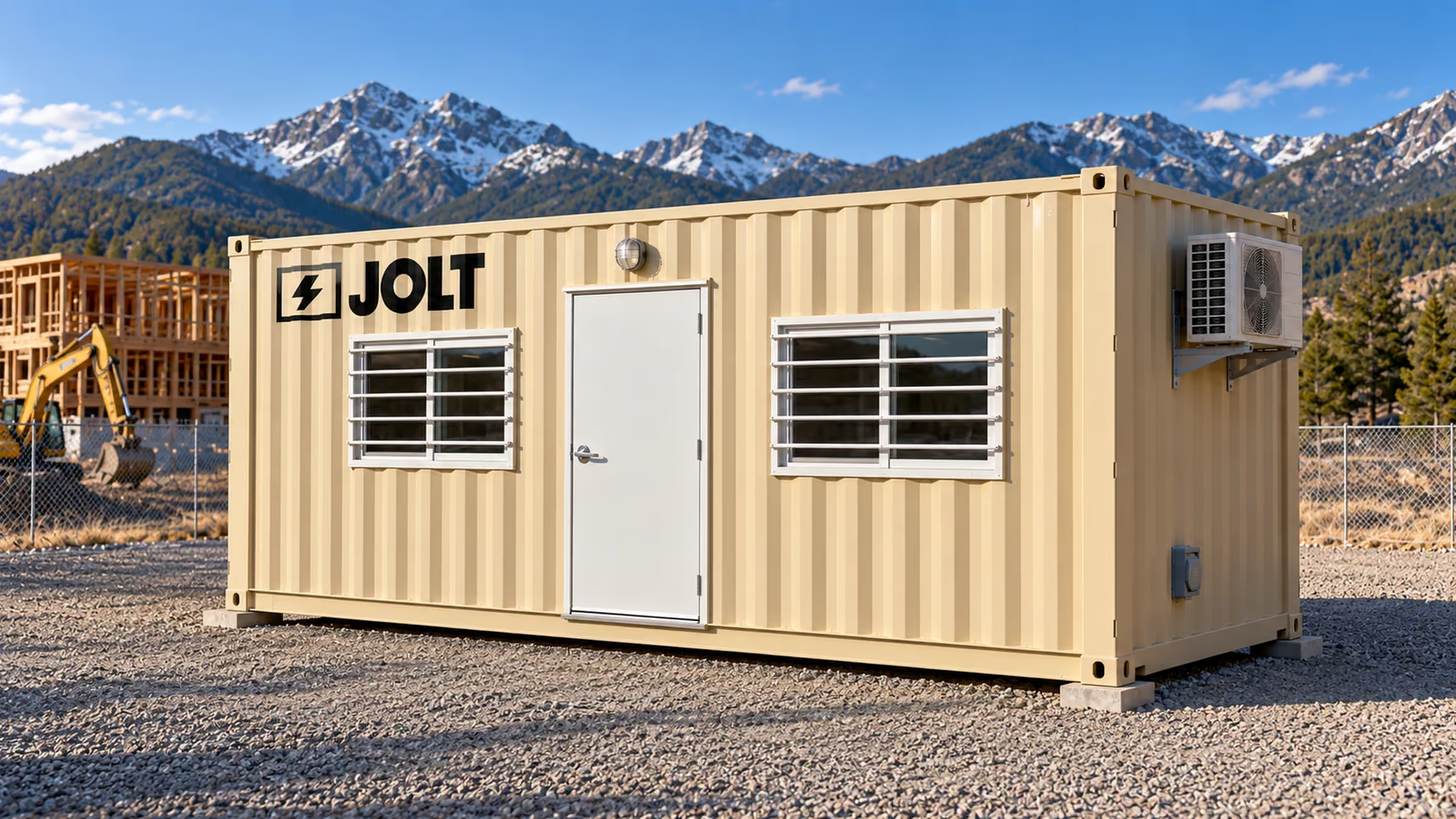
Data center guide · Nationwide
The data center jobsite office checklist.
A field checklist for egress, badge control, cameras, network, HVAC, power, anchoring, ADA access, signage and records.
- Grid Core
- $1,950/mo
- Grid Command
- $2,750/mo
- DC Deploy
- Quoted per campus
- On-site window
- 6–8 weeks
- Legal-width loadNo oversize permits
- On site in6–8 weeks
- One invoiceper unit
- Badge-ready
- Stackabletwo-high
- Moves withyour phases

Key facts
- The Core the Grid — 40 ft data center site office rents for $1,950 per month as of .
- The reservation deposit on the Core the Grid — 40 ft data center site office is $2,500 as of .
- The minimum rental term on the Core the Grid — 40 ft data center site office is 12 months as of .
- Grid delivery window is 6–8 weeks after the reservation as of .
Cite this page: "The data center jobsite office checklist." JOLT (Jolt Rents), https://joltrents.com/data-centers/jobsite-office-checklist/. Last updated September 16, 2026.
A data center site office must satisfy 32 items before the first safety orientation: two means of egress, badge-controlled doors, recorded cameras with independent alerts, a wired network with a rack, heating and cooling sized for the site's design temperatures, a 60 A shore connection with an exterior disconnect, four-point anchoring for the site's wind exposure, ADA access where the owner requires it, and posted emergency information. Grid Core carries the base office systems, while Grid Command adds the security, day-one connectivity, generator-ready and orientation features described below. The checklist works for any unit; the table at the end shows which items each build carries.
The list is what a hyperscaler's site security plan, OSHA's construction standard, the GC's insurance carrier and the authority having jurisdiction ask about a temporary office, put in one place and written for the person who has to sign the walkthrough sheet.
Egress and fire: five items
1. Two means of egress. Two exterior doors, well apart, keep a blocked door from being the only route out. The Grid has two 36-inch steel personnel doors.
2. Exit signs. Illuminated exit signs at the doors.
3. Emergency lighting. An emergency light that comes on when the panel drops, enough to find the door.
4. Smoke and carbon monoxide detection. Use a combined detector, hard-wired with a battery, and test it at delivery. Carbon monoxide detection matters when an office operates near a generator.
5. Extinguisher and first aid. Mount and tag an ABC extinguisher by a door and stock a first-aid cabinet. The site safety manager will look for the tag.
Access control: four items
6. Door hardware prepped for the owner's platform. An electric strike in each door, a door contact and a low-voltage pathway let the owner's badge vendor mount readers. Every hyperscaler specifies its own platform; the office has to accept it. Command doors ship prepped, while Core doors use lever locksets.
7. Mechanical override and key control. Lever locksets on both doors, with a lockbox on the exterior for the override key until the readers are live and for the fire department after.
8. Request-to-exit and anti-passback points. Provide a mounting point inside each door for a request-to-exit sensor and an inside reader position where the owner's program requires anti-passback. Command provides the access-control pathways.
9. Lockable storage. Lockers or a lockable cabinet for badge stock, instruments, spare PPE and anything that should not be on a desk overnight. Command carries eight half-height lockers.
Cameras: three items
10. Cameras at the office. Cameras that record whoever comes to the office, day and night; the site security plan sets what they watch. Command carries four IP cameras.
11. Retained recordings. Record to an onboard recorder and retain cloud clips of motion events according to the owner's security plan. Command includes an NVR and 30-day cloud clips.
12. Alerts that do not depend on the site network. Motion alerts to named recipients over LTE, so the system works before fiber exists and after it drops. Command's cameras alert over LTE backhaul.
Network: four items
13. Structured cabling to every workstation. Cat6A to each workstation, so the office is wired the day it lands and not patched with cords across the floor.
14. A rack with a patch panel. A wall-mount rack with a patch panel and room for the site's switch, fiber equipment and the camera recorder. The Grid carries a 12U wall rack with a patch panel.
15. Wireless. An access point broadcasting the site's SSID. The Grid carries a Wi-Fi 6 access point.
16. Day-one connectivity and a fiber path. A connection that works before site fiber exists, and a path for the fiber when it arrives. Command's Starlink supplies the first, and both Grid builds are site-fiber ready. On Core, the site supplies day-one connectivity.
Power: four items
17. A dedicated shore circuit with an exterior disconnect. A dedicated circuit from the temp panel to an inlet on the unit (60 A on the Grid), and a disconnect on the outside of the unit so the electrician can kill it without opening a door.
18. A panel with an exterior disconnect. A 100 A panel inside and a disconnect on the outside, so the electrician can isolate the unit without opening a door.
19. A generator connection with an interlock. For any office that lands before temp power: a generator inlet wired through a mechanical interlock, so the generator and the utility can never both be closed. Command carries a 50 A inlet with an interlock; Core connects a generator through the electrician's temporary panel.
20. Receptacles at every workstation. A duplex and a USB receptacle at each desk, receptacles at the table, and GFCI protection where the code requires it. Extension cords across a site office floor are the item the safety manager writes up first.
Heating and cooling: three items
21. Heating rated for the site's design low. Select equipment for the site's winter design temperature. The Grid's two cold-climate heat pumps are rated for heating to -13 °F.
22. Cooling rated for the site's design high. Select cooling against the site's design conditions and account for solar exposure. The Grid envelope uses R-19 closed-cell foam walls and an R-30 roof.
23. Redundancy. Two units heat and cool the room. A single roof-mount package unit on a trailer is the item that fails in August.
Anchoring and wind: three items
24. Four-point anchoring suited to the site's exposure. Use all four corner-casting anchor points and have the responsible site team select the anchoring system for the pad, soil and wind exposure.
25. The anchor layout documented. Record the layout and ratings in the site's own file so the safety manager can file it against the owner's temporary-structure requirement and any permit.
26. Level, on cribbing, drained. Level the unit on cribbing at the corner castings, use a pad that drains away from the doors and keep both exits clear.
ADA and access: two items
27. ADA ramp and landing where required. Provide an accessible ramp and landing where the owner or authority having jurisdiction requires it on a site office. The Grid's ADA ramp and landing is $295/mo.
28. Clear egress at both doors. Keep the ground outside each door clear and store nothing against the unit.
Signage and records: four items
29. Posted emergency information. The site's emergency numbers, the muster point, the site map and the nearest hospital, posted by the door.
30. An orientation display and a sign-in. Provide a display for the owner's orientation and a sign-in that records to the owner's or GC's system. Command carries a 75-inch wall display.
31. Insurance and anchoring on file. Put the required certificates and anchoring detail on file with the GC and authority having jurisdiction before the unit lands.
32. Condition photos and a signed walkthrough. Photograph the unit inside and out at delivery and keep the site contact's signed walkthrough sheet so pickup has a baseline.
Who asks for each item, and what happens when one is missing
Four people will ask about this list in the first month, and each of them cares about a different third of it.
The owner's security manager cares about items 6 through 12. A hyperscaler's site security plan is a contract document; an office door without badge control on a campus that requires it is a finding at the first audit, and the GC fixes it on its own dime. The camera items are the same finding a week later.
The GC's safety manager cares about items 1 through 5 and 20 through 28. Egress, fire protection, extension cords, heat, anchoring and access are the conditions a safety or loss-control review examines in a temporary office.
The authority having jurisdiction may care about items 24 through 27 and 31. Confirm whether the temporary construction office falls under the building permit or needs a temporary-structure permit, and submit the requested anchoring and insurance records.
The site's IT contractor cares about items 13 through 16, and will thank the office that already has the rack and the cabling, because the alternative is a week of patch cords and a switch on a desk.
Using the checklist with a unit that is not a Grid
A trailer or a plain container office can meet all 32 with enough vendors and enough time, and the table's third column is the shopping list: cameras, a Starlink kit, an electrician for the door prep and the generator inlet, furniture, a display, a ramp. Price each line, add the weeks, and put the total beside the rent. On a site that already has fiber, badging and cameras at the gate, a plain unit that meets items 1 through 5 and 13 through 28 is enough. On a greenfield hyperscale site, it is not, and the missing items are the ones that stop the first orientation.
Print it and run it on any office. DC Deploy's placement and electrical rough-in scope is summarized on nationwide delivery.
The checklist
Data center jobsite office checklist
Two means of egress
Confirm two clear exterior doors.
Exit signs
Check the sign at each door.
Emergency lighting
Test the emergency light.
Smoke and CO detection
Test the combined detector.
Extinguisher and first aid
Read the tag and inspect the cabinet.
Access-control door preparation
Confirm strikes, contacts and low-voltage pathways where required.
Mechanical override and key control
Check the locksets and the lockbox.
Request-to-exit and anti-passback points
Match the owner's access-control design.
Lockable storage
Secure badges, instruments and PPE.
Cameras at the office
Check each camera's live view against the security plan.
Recorded video
Match retention to the security plan.
Independent alerts
Test LTE alerts without the site network.
Cat6A to workstations
Plug into each drop.
Rack and patch panel
Leave room for site equipment.
Wireless
Configure the access point for the site.
Day-one connectivity and fiber path
Test the temporary connection and find the fiber path.
Shore circuit and exterior disconnect
Have the site electrician energize and isolate the circuit.
Panel and exterior disconnect
Operate the disconnect.
Generator connection and interlock
Confirm the selected temporary-power method.
Receptacles at workstations
Avoid cords across the floor.
Heating for the design low
Confirm the equipment suits the site.
Cooling for the design high
Confirm the equipment and envelope suit the site.
Redundant HVAC
Run both units.
Four-point anchoring
Match the system to pad, soil and wind exposure.
Documented anchor layout
File the layout and ratings.
Level cribbing and drainage
Check level and look for standing water.
ADA ramp and landing where required
Confirm the owner and AHJ requirements.
Clear egress at both doors
Keep both doors unobstructed.
Posted emergency information
Post numbers, muster point, map and hospital.
Orientation display and sign-in
Test the owner's orientation and record system.
Insurance and anchoring records
File what the GC and AHJ require.
Condition photos and signed walkthrough
Create the site's delivery baseline.
For current Grid rent and add-on prices, use the data center pricing page.
How to run the walkthrough
Walk the doors
Open both. Check the locksets, the exit signs, the emergency light and the strike prep on Command. Confirm 3 feet clear outside each.Check fire and first aid
Read the extinguisher tag. Open the first-aid cabinet. Press the detector's test button.Check the cameras
On Command, open a live view of each camera and send a test alert to the security contractor's phone over LTE, with the site network unplugged.Check the network
Plug a laptop into a network drop and reach the internet on Starlink, or on the site's hotspot on Core. Confirm where site fiber will land in the rack.Check the power
Have the electrician energize the shore circuit, throw the exterior disconnect, and on Command throw the interlock and start the generator.Check heating and cooling
Run both heat pumps to a setpoint 10 degrees from the room and confirm both deliver.Check the anchoring
Count four anchors, match the layout to the anchoring information on file, and pull on one.Check level and drainage
Set a level on the floor at both ends. Look under the unit for standing water.Check ADA and access
Confirm the ramp if required, and nothing stored against the unit.Sign the sheet
Post emergency information, confirm the requested insurance and anchoring records are on file, review the condition photos and sign the site's walkthrough sheet.
Choose the build, site ZIP, quantity and target date through the reservation path on the data center hub.
How many items are on the checklist?
32, in nine groups: egress and fire, access control, cameras, network, power, heating and cooling, anchoring and wind, ADA and access, signage and records.
Does OSHA require two exits on a site office?
Egress requirements depend on the office, occupancy, adopted rules and the owner's site plan, so confirm them with the site's responsible safety team and authority having jurisdiction. The Grid provides two 36-inch steel personnel doors.
Which items does Grid Core carry, and which need Command?
Core carries the egress, fire, network, power, HVAC, anchoring and access items. Command adds the door prep, the lockers, the cameras and LTE alerts, Starlink, the generator inlet and the orientation display.
What does the badge vendor need from the office?
The owner's access-control design may call for an electric strike, door contact and low-voltage pathway at each door. Command doors ship with those preparation features so the vendor can install the specified readers and credentials.
How is the anchoring documented?
Record the anchor layout in the site's own file for the safety manager and any authority having jurisdiction review. The selected anchoring system must match the pad, soil and wind exposure.
Does the office need an ADA ramp?
Provide one where the owner or authority having jurisdiction requires accessible entry to the site office. The Grid's ADA ramp and landing is available at $295/mo.
What does the site have to provide?
The 60 A shore circuit, the posted emergency information, the badge readers and credentials, the site fiber drop, and a person to sign the walkthrough.
How long does the walkthrough take?
The time depends on the unit, site systems and tests required by the owner. Schedule the delivery crew, electrician and site contact together so every item can be verified before sign-off.
Your delivered price
Pick the unit, rent or buy, and the job ZIP. Monthly rent and the route show as you go; we email the full delivered price with a 14-day lock.
Pick a length
Drawn to scale, side view.
Step 1: Unit
The Grid · Command
Which 40 ft?
Step 2: Rent or buy
12-month starting term for project quotes.
Step 3: Job ZIP
Delivery and pickup: quoted for your site.
Step 4: Send it
Request a written delivered quote from the project desk.
Step 5: Your project quote
- JOLTSite offices for data center construction. Nationwide.
- DataCenterProductNationwide Grid Command: badge-ready, connected, and ready the day it lands.
- DataCenterGuideNationwide data center site office pricing. All of it.
- DataCenterGuideDC Deploy for any campus in the lower 48.
- DataCenterMarketData center site offices in Texas: The Grid, nationwide.
- DataCenterMarketData center site offices in Virginia: The Grid, nationwide.
- DataCenterMarketData center site offices in Ohio: The Grid, nationwide.
- DataCenterProductBuy the Grid. Own the site office that moves campus to campus.
Talk to a data center specialist.
DC Deploy covers any site in the lower 48.
A deposit holds your delivery window. Cancel free of charge more than 14 days before the first day of the window. Deposits from $85 are applied to your first invoice.