
Data center guide · Nationwide
The badging and security office at the gate.
Grid Command is a gate security and badging office with badge-ready doors, four IP cameras, LTE backhaul, Starlink and an orientation display.
- Grid Core
- $1,950/mo
- Grid Command
- $2,750/mo
- DC Deploy
- Quoted per campus
- On-site window
- 6–8 weeks
- Legal-width loadNo oversize permits
- On site in6–8 weeks
- One invoiceper unit
- Badge-ready
- Stackabletwo-high
- Moves withyour phases

Key facts
- The Core the Grid — 40 ft data center site office rents for $1,950 per month as of .
- The reservation deposit on the Core the Grid — 40 ft data center site office is $2,500 as of .
- The minimum rental term on the Core the Grid — 40 ft data center site office is 12 months as of .
- Grid delivery window is 6–8 weeks after the reservation as of .
Cite this page: "The badging and security office at the gate." JOLT (Jolt Rents), https://joltrents.com/data-centers/security-and-badging-office/. Last updated September 17, 2026.
Grid Command works as the gate security and badging office: badge-ready doors, four IP cameras with an NVR, LTE backhaul, motion alerts and 30-day cloud clips, Starlink for the badging system before site fiber exists, a 75-inch display for orientation video, and eight lockers for the security contractor.
A hyperscale campus at peak badges thousands of workers through one or two gates every morning. The owner's security program says every one of them was enrolled with a photo, a background check and a drug screen before the first badge scan, and that every visitor was logged and escorted. That program runs out of a room at the gate, and the room has to be there before the first crew is.
What does a hyperscaler's security program require at the gate?
Every hyperscaler writes its own site security plan, and the general contractor inherits it on day one. The common elements: badge-controlled turnstiles at every pedestrian gate; photo enrollment of every worker against a background check and a drug screen; escorted access for every visitor and a visitor log; camera coverage of the gates and the perimeter with 30 days of retention; a security contractor on site around the clock; a secure room for badge stock, enrollment equipment and incident records; and a place to run the site orientation that every worker sits through before the first shift.
The gatehouse is the secure room and orientation room. Command brings electric strikes, door contacts and low-voltage pathways for the customer's access-control vendor, plus its included camera and network systems.
How does the badge enrollment flow run out of a Grid?
Where the unit sits and which door faces the queue are the security contractor's call; a common plan puts the enrollment station at a workstation inside the door that faces the turnstiles. A worker arrives with identification and onboarding paperwork, sits for the photo, is checked against the screening list, and receives a badge. The station can run on Command's Starlink before site fiber exists; when fiber arrives, it lands in the rack and Starlink becomes backup.
Badge stock, printer ribbons and the enrollment camera lock in the eight half-height lockers overnight. Placed across the fence line, the second door can open onto the escorted side, so an enrolled worker walks out of the gatehouse and into the site without crossing the public queue.
On a Grid Campus, the gatehouse can be the ground-floor unit nearest the turnstiles, so the badging queue and the orientation queue do not cross the project office's door.
What camera system does Command bring to a gate?
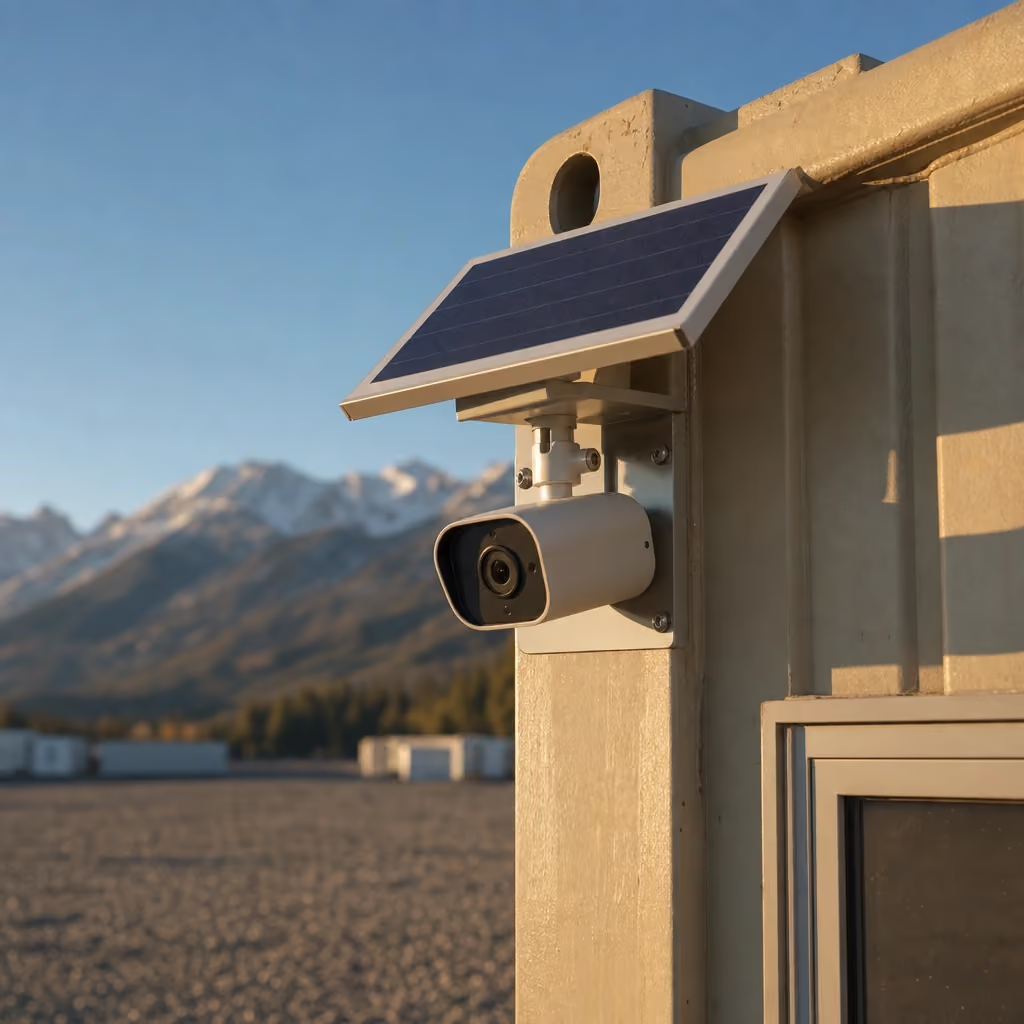
Command includes four IP cameras, an onboard NVR, LTE backhaul, motion alerts and 30-day cloud clips.
LTE, Starlink or fiber: what runs the badging system before the site network exists?
The badging platform can run on Starlink. The cameras use their NVR and LTE backhaul for motion alerts. When the site's IT contractor pulls fiber to the gate, it lands in the rack and Starlink can remain as backup.
Three connections, one rack, no dependence on the GC's network. That matters at a gate because the gate is the one place on the site where a dropped connection stops 3,000 people from going to work.
How does visitor management work at the gatehouse?
A visitor arrives at the door facing the queue, signs in on the owner's visitor-management platform, watches the visitor safety briefing on the 75-inch display, receives a visitor badge and PPE from the lockers, and waits at the table for an escort. The visitor log lives on the owner's platform.
For an owner's executive visit or a county inspection, the gatehouse is where the party assembles. The GC's project office is two doors down on a campus, and the owner's rep is upstairs.
How does the orientation video and sign-in run on the display?
Every worker sits through the site orientation before the first shift: the owner's video, the GC's site rules, the emergency plan and sign-in. On Command, that runs on the 75-inch commercial display with HDMI and USB-C from a laptop or the badging station.
The whiteboard walls carry the day's expected visitors and the week's onboarding count. The sign-in sheet is a laptop on the owner's platform, not a clipboard, and the record is in the cloud that night.
How does JOLT coordinate with the GC's security contractor?
Before the unit lands, share Command's door prep (electric strikes, door contacts and low-voltage pathways) with the owner's badge vendor and its camera and network list with the security contractor, so the readers, enrollment station and contractor systems are planned before the unit lands. On delivery day, the customer's teams configure their access-control and security workflows around Command's included pathways and systems.
Draw the access-control boundary before procurement
Badge-ready does not mean a complete owner access-control system. Electric strikes, door contacts and low-voltage pathways are included with Command. The owner, general contractor and access vendor still need a written scope for readers, credentials, control panels, software, enrollment devices, cabling outside the supplied pathways and system configuration.
Start the scope meeting with a door-by-door sketch. Mark which door faces the public queue, which door faces the controlled site and whether either opening must follow a special emergency-access rule. Ask the access vendor to identify its reader location, cable route, controller location and required connection to the owner's security network. The authority having jurisdiction should resolve life-safety and egress questions.
Name the party that holds the badge database. That decision controls who approves an enrollment, changes an access group, disables a lost credential and closes records when a worker leaves the project. It also keeps the office rental scope separate from decisions that belong to the owner's security program.
The same boundary applies to cameras. Command provides an NVR with four IP cameras. WATCH also includes cloud clips, motion alerts and LTE backhaul. Camera aim, user permissions, monitoring assignments, evidence export and escalation rules belong in the customer's security plan.
Set the recording and privacy rules before cameras go live
A construction gate mixes employees, subcontractors, delivery drivers, inspectors and invited visitors. Put the recording notice where each group can see it before entering the covered area. The site team should decide whether its jurisdiction, labor agreements, owner policy or customer contracts require additional language or consent.
Under section 13.3 of the Rental Agreement Terms, the customer is responsible for legally required notices, signage and consents. Lawful use of footage is also the customer's responsibility. That is a governance task, not a camera-installation detail.
Create a short written map of who may view live images, receive motion alerts, search the NVR and export a clip. Give each role only the access it needs. Decide how an incident request is approved and where an exported file is stored. Record the person who released it and the purpose.
The owner's counsel or privacy lead should set any retention rule beyond the included 30-day cloud clips. The team should also decide how an internal investigation, insurance matter or legal hold changes ordinary deletion. Avoid putting identity documents, screening results or medical information into a camera evidence folder merely because both are security records.
End-of-project access deserves a line in the demobilization plan. Remove former staff from user lists, preserve only records the owner is entitled or required to keep and document the handoff of open incidents.
Plan visitor records without exposing worker data
The gate desk needs enough information to admit the right person, but it does not need every onboarding record in view. Separate the expected-visitor list from the worker screening file. A receptionist can verify a name, host and visit window without seeing background-check details.
Position screens so a person in the queue cannot read the previous visitor's entry. Keep printed lists and blank badge stock away from the public-facing door. Use the Command lockers according to the owner's key-control policy, and assign a person to reconcile temporary badges at the end of each shift.
Define the minimum visitor record before the first visit. The security plan may need the visitor's identity, host, arrival, departure, credential and escort. The owner should determine which fields are necessary, how long to retain them and who may retrieve them.
Orientation records should also have a named owner. Decide whether the display is used for a general briefing, a trade-specific module or both. Define which platform records completion and what evidence is accepted if the network is unavailable. Command supplies the display and connections; the customer supplies the content, platform and recordkeeping rule.
Run a privacy walk before opening the gate. Stand in the waiting position, at the public door and at the controlled-side door. Check what a visitor can see on screens, whiteboards and paper. Then repeat the walk with the doors open and the morning queue in mind.
Write an outage plan instead of assuming failover
Command provides site-fiber readiness, Starlink as backup to site fiber and LTE backhaul for camera motion alerts. Those are separate capabilities. They are not a promise that the owner's badge application, identity provider or reader controllers will switch connections automatically.
Ask the access vendor what must remain local for a door to operate when its cloud service or wide-area connection is unavailable. Ask the owner's IT team how the badging workstation chooses between site fiber and Starlink. Document who is authorized to change that path and how the team verifies that the intended connection is active.
Create operating instructions for four different interruptions: loss of site fiber, loss of the badging platform, loss of office power and loss of a reader or door component. Each event can require a different queue decision. The written instruction should identify the person who can pause admissions and the alternate process approved by the owner.
Include the gate in the electrician's load plan. Command has a 60 A shore inlet and a generator-ready 50 A inlet with a mechanical interlock. The site electrician should confirm the source, connection, protection and operating instructions for the actual site. If the generator add-on is selected, keep its fuel treatment in the written quote.
Practice from the written plan before a peak intake. A tabletop review can expose missing phone numbers, unclear decision authority and systems that depend on the same connection. The goal is not to promise uninterrupted admission. It is to give the supervisor a controlled response when a dependency is unavailable.
Choose gatehouse placement from the queue backward
Trace pedestrians from parking or transit to identity check, enrollment, orientation, turnstiles and the controlled work area. Keep that path away from haul roads, reversing zones and delivery staging.
Then orient the office doors. The public-side door should not force waiting workers to cross the controlled-side flow. The second door should support the owner's escorted route without creating an unmonitored shortcut. Confirm final placement with the security lead, site-logistics manager and authority having jurisdiction.
Check sight lines from the supervisor's working position, but do not treat a window as the camera plan. Trucks, fencing, snow storage, temporary signs and later construction can block a view. Mark likely obstructions on the logistics drawing and review the camera positions separately.
Protect the pad from queue growth. Barriers, sign stands and waiting workers cannot consume delivery access, electrical working space or an emergency route. Keep the unit's bearing surface and drainage requirements in the same placement package so security convenience does not override site readiness.
The best gatehouse location is therefore not simply the closest open rectangle beside the fence. It is the point where public arrival, controlled entry, office access, utilities and future phases can coexist on a drawing that every responsible trade has reviewed.
Where does the gatehouse sit, and what does the pad look like?
Most security contractors place the gatehouse inside the fence beside the pedestrian turnstiles, one door facing the queue and the other facing the site; the placement is the customer's. Power can come from the gate's temporary panel; until that panel is live, Command's generator inlet can serve the office with a $1,850/mo generator add-on.
Review the pad, approach, overhead clearance, power and anchoring with the site requirements before delivery.
What does the gate look like at 5:45 a.m.?
The queue starts before the shift. The door facing the queue is open; the security contractor's supervisor is at the first workstation with the enrollment platform and new-hire list. New hires watch the orientation video while another is photographed. The four included cameras record to the NVR, and motion alerts can reach the security team over LTE.
Once the queue clears, the supervisor prints badges, logs a delivery driver, hands over a visitor badge and PPE, and walks the driver out the far door to the escort.
That is the room: a secure gate office that can start before the permanent site network.
What happens to the gatehouse when the gate moves?
Gates move. A campus can open a second entrance on a new access road and later close the first. The gatehouse moves with the gate using the $1,250 on-campus relocation; the customer's badge vendor and security contractor reconnect their systems at the new location.
What does a gatehouse cost over 24 months?
Current Command rent, term totals and available add-ons are maintained on the data center pricing page.
How do I reserve a gatehouse?
Choose Command and send the ZIP, target date, project details and gate requirements through the data center reservation path; the confirmation carries the nationwide delivery window and a specialist responds within 15 minutes during business hours.
What does a hyperscaler's site security plan require at the gate?
Common elements include badge-controlled access, photo enrollment, escorted visitors with a log, camera coverage, a security contractor, a secure room for badge stock and records, and a place to run orientation. The owner's written plan controls.
How does badge enrollment run before site fiber exists?
The badging station can use Command's included Starlink connection before site fiber lands in the rack.
What do the included cameras do at a gate?
The four included IP cameras record to an NVR, use LTE backhaul for motion alerts and provide 30-day cloud clips, so the security contractor has recordings and alerts from the first day.
Do the cameras depend on the badging connection?
No. The cameras use an NVR and LTE backhaul for motion alerts, while badging can run on Starlink and later site fiber.
How does visitor management work?
Visitors sign in on the owner's platform, watch the briefing on the display, receive a badge and PPE, and wait for an escort through the far door.
How many people can sit through an orientation at once?
Command provides a 10 ft conference table with eight chairs and a 75-inch display for orientation sessions.
Who does JOLT coordinate with?
Planning coordinates the owner's badge vendor for the electric strikes, door contacts and low-voltage pathways, and the GC's security contractor for the four included cameras, NVR and LTE alert workflow.
What does a gatehouse cost over 24 months?
Command term totals and current add-on prices are shown on the pricing page.
Your delivered price
Pick the unit, rent or buy, and the job ZIP. Monthly rent and the route show as you go; we email the full delivered price with a 14-day lock.
Pick a length
Drawn to scale, side view.
Step 1: Unit
The Grid · Command
Which 40 ft?
Step 2: Rent or buy
12-month starting term for project quotes.
Step 3: Job ZIP
Delivery and pickup: quoted for your site.
Step 4: Send it
Request a written delivered quote from the project desk.
Step 5: Your project quote
- JOLTSite offices for data center construction. Nationwide.
- DataCenterProductNationwide Grid Command: badge-ready, connected, and ready the day it lands.
- DataCenterGuideNationwide data center site office pricing. All of it.
- DataCenterGuideDC Deploy for any campus in the lower 48.
- DataCenterMarketData center site offices in Texas: The Grid, nationwide.
- DataCenterMarketData center site offices in Virginia: The Grid, nationwide.
- DataCenterMarketData center site offices in Ohio: The Grid, nationwide.
- DataCenterProductBuy the Grid. Own the site office that moves campus to campus.
Talk to a data center specialist.
DC Deploy covers any site in the lower 48.
A deposit holds your delivery window. Cancel free of charge more than 14 days before the first day of the window. Deposits from $85 are applied to your first invoice.